Best AI tools for solo creators in 2026
EditFive tools an income-focused solo operator can stack to actually save hours per week — ranked by output quality, integration cost, and where the tool genuinely beats the alternatives.
The honest take
The AI-tools market in 2026 looks settled enough to make picks. Claude and ChatGPT are the two-horse race for general-purpose use, with Claude leading on writing and long-context work and ChatGPT leading on feature breadth. Below them, the category fragments into specialists — Midjourney for image, Descript for audio/video, Notion AI for embedded workflow.
The right stack for most solo creators in 2026 is two tools, not five. Pick one general-purpose model (Claude or ChatGPT) plus one specialist for whichever output format dominates your work. Stacking all five costs $80-120/mo and produces marginal returns over the right two-tool stack at $30-40/mo.
What actually saves hours
For an income-focused solo creator producing 5-10 pieces of content per week, the realistic time savings from each tool look like:
- Writing tool (Claude or ChatGPT): 4-8 hours/week saved on outlines, first drafts, edits, research, and email triage. Single biggest ROI.
- Image tool (Midjourney): 2-4 hours/week saved on cover and social images vs commissioning or stock-shopping.
- Audio/video tool (Descript): 3-6 hours/week saved per hour of weekly podcast/video output.
- Workflow tool (Notion AI): 1-2 hours/week saved if Notion is already your primary surface; near-zero otherwise.
The math: a creator earning $40-100/hour saves $200-1000/month with a properly chosen two-tool stack. Five-tool stacks save closer to $1500/month gross but cost $100/mo and require attention budget that most creators don’t have.
What does NOT work in 2026
- Subscribing to every new model that benchmarks well. Benchmark wins decay in days; subscription costs compound monthly. Pick a daily driver, give it three months before re-evaluating.
- Running the same prompt across three tools “to compare.” This was reasonable in 2023; in 2026 the gap between Claude and ChatGPT on most tasks is small enough that the comparison time costs more than the quality delta gains.
- Replacing a writer with AI alone. Output quality lands on “competent first draft” — not “publishable final.” Operators who skip the human edit step produce content that AI-detection tools and Google’s Helpful Content updates penalize. AI accelerates the writer; it doesn’t replace one.
- Buying enterprise plans for solo workflows. Team and Business tiers exist for collaboration, not for individual capability. Pro / Plus plans cover ~95% of solo-creator use cases at half the price.
Final stack picks by profile
- Editorial-heavy creator (newsletters, blogs, long-form): Claude Pro + Midjourney $30/mo. Writing quality plus consistent visual identity.
- Multi-format creator (writing + voice + video): ChatGPT Plus + Descript Creator. Single-account surface plus the audio/video specialist.
- Notion-native workflow operator: Notion Business AI + Claude Pro. Embedded enhancement plus standalone power.
- Visual-heavy creator (Instagram, Pinterest, design): Midjourney $30/mo + Claude or ChatGPT free tier. Image is your bottleneck; writing is secondary.
- Podcaster / YouTuber: Descript Pro + Claude Pro. Spoken-content workflow plus writing for descriptions, scripts, and show-notes.
The wrong call in 2026 is the $100/mo five-subscription stack with marginal returns past tools two and three. Start narrow, expand only when the next tool clearly saves more time than its monthly fee.
Quick verdict
- #1 Claude (Anthropic) — The model with the best long-context handling and writing quality for editorial, research, and contract review — the operator's daily driver in 2026. 9.2
- #2 ChatGPT (OpenAI) — The widest tool surface in the category — image generation, voice, code interpreter, web search, and a vast plugin ecosystem in one subscription. 8.8
- #3 Notion AI — Workflow-embedded AI inside your existing notes, docs, and trackers — not a separate tool, an enhancement to one you already use. 8.0
- #4 Midjourney — Highest-aesthetic-quality image generation for editorial covers, social visuals, and concept art — worth paying for over free alternatives. 7.8
- #5 Descript — Audio + video editing inside a transcript — delete words to delete clips; the workflow upgrade for any creator producing spoken content. 7.5
The ranking
Claude (Anthropic)
The model with the best long-context handling and writing quality for editorial, research, and contract review — the operator's daily driver in 2026.
- Best for
- Solo operators whose primary AI use is writing, research, and reasoning over long documents.
- From
- $20/mo Pro plan
- Commission
- No public affiliate program
Pros
- Strongest long-document handling — 200K+ token context lets you paste full PDFs and contracts without chunking
- Writing quality is materially better than peers for editorial, marketing copy, and analytical work
- Projects feature persists context across sessions for ongoing work
- Pro plan at $20/mo unlocks the full daily-driver workflow at predictable cost
Cons
- Image generation and analysis lag behind ChatGPT / Gemini
- Smaller plugin and integration ecosystem than ChatGPT
- Output sometimes refuses tasks other models complete (a feature for some users, friction for others)
ChatGPT (OpenAI)
The widest tool surface in the category — image generation, voice, code interpreter, web search, and a vast plugin ecosystem in one subscription.
- Best for
- Operators who need image gen + voice + search + writing in one subscription rather than stacking three tools.
- From
- $20/mo Plus plan
- Commission
- No public affiliate program
Pros
- Most comprehensive feature set — image gen, voice, search, code execution all in one app
- Largest custom-GPT and plugin ecosystem reduces friction for niche workflows
- API access for automation is the most mature and best-documented
- Strong vision capabilities for analyzing screenshots, charts, and design drafts
Cons
- Writing quality at the median is a step below Claude on long-form editorial work
- Heavier marketing-driven version churn — keeping track of which model is which is real friction
- Plus tier rate-limits more aggressively than Claude Pro at peak hours
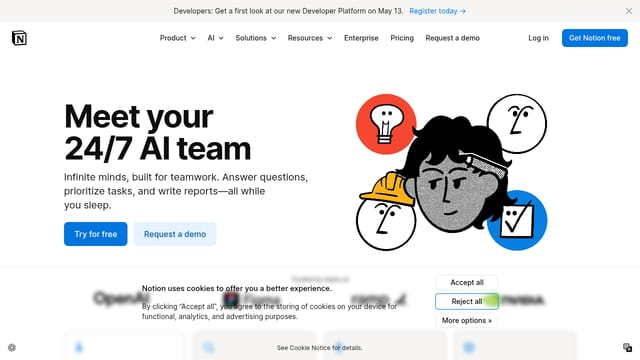
Notion AI
Workflow-embedded AI inside your existing notes, docs, and trackers — not a separate tool, an enhancement to one you already use.
- Best for
- Operators whose main work surface is already Notion and who want AI inside that surface rather than alongside it.
- From
- $10/mo add-on; bundled in Business
- Commission
- Notion has a partner program
Pros
- Lives inside the docs / notes / databases you already use — no context-switching to a separate chat
- Auto-fill and Q&A across your entire workspace make existing notes meaningfully more useful
- Pricing bundled with Notion Business plans rather than a separate sub for daily users
- Database integrations let AI populate structured fields from unstructured input
Cons
- Output quality below Claude / ChatGPT on standalone tasks
- Only useful if you're already a heavy Notion user — meaningless for non-Notion workflows
- AI features unavailable on lower-priced plans without per-seat add-on
Midjourney
Highest-aesthetic-quality image generation for editorial covers, social visuals, and concept art — worth paying for over free alternatives.
- Best for
- Solo creators producing editorial covers, blog hero images, or social-post visuals at higher than-stock-photo quality.
- From
- $10/mo Basic plan
- Commission
- No public affiliate program
Pros
- Output aesthetic quality is materially better than DALL-E and Stable Diffusion for editorial use cases
- Style references and personalization let you build a consistent visual identity across covers
- Web app since 2024 removed the Discord-only friction that held the tool back
- Strong community and prompt library mean fewer wasted generations
Cons
- $10/mo entry tier is more limited than the marketing implies — most operators end up on $30 plan
- No native vector / SVG output — limits use for logo and icon work
- Cannot generate text in images reliably — bad fit for posters and ads with copy

Descript
Audio + video editing inside a transcript — delete words to delete clips; the workflow upgrade for any creator producing spoken content.
- Best for
- Solo podcasters, YouTubers, and course creators producing 1+ hour of spoken content per week.
- From
- $16/mo Creator plan
- Commission
- Descript affiliate program
Pros
- Edit audio/video by editing the auto-generated transcript — 10x faster than waveform editing
- Studio Sound denoiser is genuinely better than peers and replaces $300+ of audio-engineering software
- Eye Contact and Overdub voice cloning enable retakes without re-recording
- Pricing scales with hours rather than seats — works for occasional users
Cons
- Free tier is limited; serious workflows need the Creator or Pro plan ($16-30/mo)
- Voice cloning has obvious watermark in lower tiers
- Doesn't replace a real video editor for cinematic work — best at talking-head / podcast formats
Frequently asked questions
What is the best option in Best AI tools for solo creators in [year]?
Claude (Anthropic) ranks #1 with a score of 9.2/10. The model with the best long-context handling and writing quality for editorial, research, and contract review — the operator's daily driver in [year].
Who is Claude (Anthropic) best for?
Solo operators whose primary AI use is writing, research, and reasoning over long documents.
Who is ChatGPT (OpenAI) best for?
Operators who need image gen + voice + search + writing in one subscription rather than stacking three tools.
Who is Notion AI best for?
Operators whose main work surface is already Notion and who want AI inside that surface rather than alongside it.
How is this ranking decided?
Each tool scored on five operator-relevant criteria: output quality at the median use case (not the cherry-picked demo), integration cost (subscription fee + time to learn vs hours saved), workflow lock-in (can you switch later if pricing changes), capability gap vs free alternatives, and update cadence (frequency of meaningful improvements vs marketing-driven version bumps). Pricing reflects published rates as of the article date.