Video editing for YouTube + social
EditCutting raw footage into watchable content — the production layer that decides whether your YouTube channel grows or stalls at 1K subs.
What this skill unlocks
Video editing is the production layer that decides whether your YouTube channel grows or stalls. Two creators with identical scripts and identical thumbnails will see 5-10× difference in retention curves based on edit quality alone. The skill compounds: every video you edit faster + better than your competitors compresses your release cadence + raises your watch-time metrics, both of which the algorithm rewards.
The economic reality: hiring a competent video editor on Upwork runs $30-150/hour or $300-2,000 per video. Doing it yourself in DaVinci Resolve free tier after 60-120 hours of practice gets you to 80% of pro quality at 0% of the per-asset cost. For YouTube creators in their first 12 months, self-editing is the only viable path to a 2-4 video/week cadence.
The 2026 AI-amplified version: Descript transcribes + edits via text in real-time, cutting talking-head editing time 60-70%. Combined with DaVinci Resolve for color/sound + custom B-roll, the modern solo creator workflow is dramatically faster than 2020-era video editing.
What “competent” looks like
You’re competent when you can:
- Cut a 10-minute talking-head video in 90-120 minutes (vs the 4-6 hours an untrained editor takes).
- Color-grade to a consistent look across a series (LUT + manual adjustments).
- Pace the edit with B-roll, motion, and sound design that holds 50%+ retention to the end.
- Export at platform specs correctly (YouTube 1080p H.264 vs Shorts 9:16 vs TikTok specs).
- Diagnose a video’s retention curve and identify which moments need re-edit (drop-off points).
Steps 1-2 take 40-60 hours of editing reps. Steps 3-5 take real audience feedback over 30+ published videos.
How to actually practice
The trap: tutorials forever without producing. The pattern:
- Pick ONE tool (DaVinci Resolve free if you’re solo, Premiere if you’ll work with clients on Adobe). Stop researching alternatives at week 1.
- Edit 5 short videos (under 5 min each) using only existing footage you already have.
- Then start your channel. Don’t wait for “better gear” or “more knowledge” — equipment + skill compound through publication, not preparation.
- Ship 30 videos in 6 months minimum. Speed of iteration is the skill.
- Each video should be 10% better than the last. Specifically pick ONE thing per video to improve (color, audio, pacing, captions, B-roll density).
- Watch your own analytics at 28-day cadence. Retention curve tells you exactly what to fix in next video.
90 days from “I want to learn editing” to “I can ship a 10-minute YouTube video weekly” is realistic for those who commit.
Where to apply it on TierIncome
- YouTube AdSense (Niche Channel) — editing IS the production engine.
- Paid newsletter — video newsletters (Substack now supports them) are a growing format.
- Sell digital products on Gumroad — video walkthroughs raise perceived value $20-40 per product.
- Productized Service Agency — async client updates via Loom/Descript replace meetings.
- Browser extension SaaS — demo videos on landing page convert 30-50% better than text-only.
Honest realities
- Bad audio kills more videos than bad video. A $50 USB mic (Samson Q2U, Shure MV7) outperforms a $1,000 lens with phone audio. Fix audio before you fix anything else.
- AI editing is good-but-not-magic. Descript edits filler words competently; doesn’t understand pacing or context. Use AI for first-pass cuts; human polish on second pass.
- Pro look is mostly color grading + sound design. A “flat” log-recorded shot graded with the right LUT looks 5× better than an over-saturated unedited clip. Color literacy is the biggest visual win after audio.
- YouTube algorithm rewards consistency over polish. A weekly 75%-quality video out-performs a monthly 95%-quality one. Ship the cadence; raise quality from there.
If you finish DaVinci’s free training + ship 30 videos over 6 months, you’ll be in the top 5% of self-taught editors. The remaining gap to pro editors is mostly specialized output (cinematic narrative, motion graphics, advanced color) which most YouTube channels don’t actually need.
Where to learn it
The resources we'd actually use, sorted by type. Affiliate links are tracked through /go/[slug].
Courses (1)
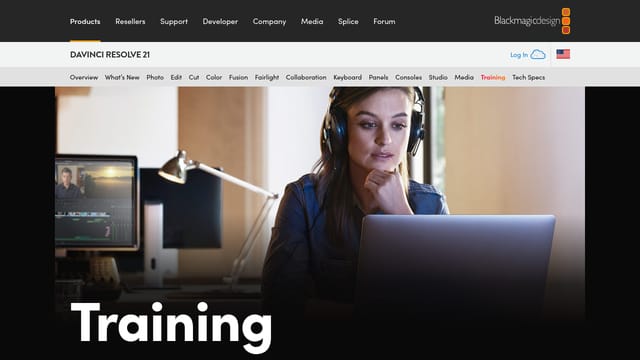
DaVinci Resolve free tier is a full Hollywood-grade editor. Their official tutorial library is free and exhaustive. If you want pro-grade editing without monthly fees, this is the path.
YouTubes (2)
Best free editing-tutorial channel. Specifically for YouTube + cinematic edits. His Premiere shortcuts video alone saves hundreds of hours over a year of editing.
YouTube-channel-focused editing. Pacing, retention edits, captions. More practical than cinematic tutorials when your goal is monetized YouTube growth.
Communitys (1)

r/VideoEditing has working editors discussing rates + tools. YouTube Creators forum has algorithm + monetization questions. Filter for posts about your specific output format (talking-head, gaming, vlog, etc).
Tools (6)
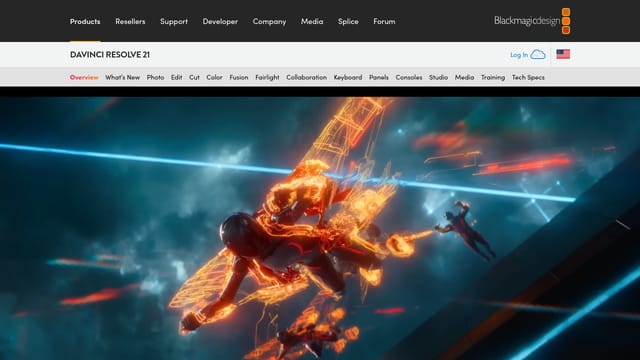
DaVinci Resolve (the tool)
FreemiumFree version is shockingly capable — color grading, multicam, advanced fusion. Studio version (one-time $295) unlocks H.265 export, neural engine features. Best total cost of ownership in 2026 for serious editors.
Adobe Premiere Pro
PaidIndustry standard for client-work editors (agencies, films). Pricier than DaVinci, with smaller free path. Pick Premiere if you'll work with client teams using Adobe; pick DaVinci for solo control.
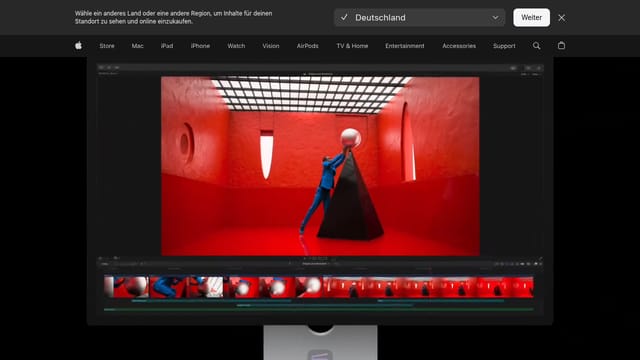
Mac-only. Faster than Premiere on Apple silicon. One-time purchase (no monthly fee). Solid choice for solo Mac-based YouTubers who don't need cross-platform compatibility.
Epidemic Sound
PaidRoyalty-free music + SFX library specifically licensed for monetized YouTube. The 'I'll use this song from my library' copyright strike is the #1 channel-killer. Epidemic eliminates it entirely.
Riverside.fm
FreemiumStudio-quality recording for remote interviews. Records each guest locally; uploads to cloud. The standard tool for podcast-format YouTube channels. Affordable for solo operators.