AI prompting + workflow
EditGetting useful output from Claude, ChatGPT, and Midjourney consistently — the meta-skill that 2-3× every other skill on this list.
What this skill unlocks
AI prompting is the meta-skill that amplifies every other skill on TierIncome. A copywriter who prompts well drafts 3× faster. A no-code builder who prompts well ships features they’d otherwise outsource. A YouTube editor who prompts well produces scripts in 1 hour instead of 6. The asymmetry between casual prompting and deliberate prompting is 2-5× output quality at the same time spent.
The economic reality in 2026: virtually every paid skill on this site is being commoditized at the bottom by AI-augmented operators. Refusing to learn AI workflows is choosing to compete against people producing 3× your output. Not optional anymore.
But the corollary: AI is not magic. Most of the “AI replaces X profession” content is hype. AI-generated raw output is mediocre. The skill is in the iteration loop — knowing what to prompt, what to discard, what to edit, what to fact-check, when to hand off to a different model. That loop is what separates people getting 2× output from people getting 0.5× output (slower than baseline because they re-do everything).
What “competent” looks like
You’re competent when you can:
- Pick the right tool for a task (Claude for nuance writing, ChatGPT for code structure, Perplexity for research, Midjourney for visuals — and know when none of them fit).
- Write a prompt with clear role, context, examples, output format, and constraints. Without those, output is mediocre by default.
- Recognize hallucinations and verify high-stakes claims (numbers, citations, dates, legal/medical/financial specifics).
- Iterate — get the model 80% there, then refine with targeted follow-ups instead of rewriting the prompt 10 times.
- Build a workflow — your repeatable prompts + context + tools chained for specific recurring tasks.
- Eval output — recognize subtly bad output (plausible-sounding but wrong) before shipping.
Steps 1-3 take 10-15 hours of deliberate practice. Steps 4-6 take 30-50 hours of real workflow building.
How to actually practice
The trap: read 50 “best ChatGPT prompts” lists, never integrate AI into actual work. The pattern:
- Pay for ONE serious subscription (Claude Pro, ChatGPT Plus, or Cursor). Free tiers handicap learning.
- Read Anthropic’s prompt engineering guide in one sitting. Take notes.
- Pick one weekly recurring task in your work — writing X, researching Y, editing Z. Migrate it to AI-augmented over 4 weeks.
- Document the prompt that worked in a personal “AI workbook” (Notion, Apple Notes, anywhere). Reuse + refine.
- Repeat for 5-10 different recurring tasks over 90 days.
- At month 3, you should have 5-10 working prompt + workflow templates that compress your best work. That’s the durable asset.
The compounding kicks in at month 3-6 — your workflow library makes you visibly faster than peers without measurable extra effort.
Where to apply it on TierIncome
Every idea on this site has an ai_stack field listing AI tools that accelerate it. Specifically high-leverage:
- Niche affiliate sites — Claude for outlines + drafts (60-70% faster); Surfer for optimization.
- YouTube AdSense (Niche Channel) — script generation + thumbnail concepts.
- KDP self-publishing — outlines, drafts, cover concepts.
- Sell digital products on Gumroad — sales-page copy + product validation research.
- Browser extension SaaS — Cursor for MV3 boilerplate (60-80% faster).
- Solo Consulting / Freelancing — pitches, proposals, deliverables, client research.
Honest realities
- Models drift. A prompt that worked great in March 2024 might underperform in May 2024 if the model was updated. Re-test recurring prompts every 60-90 days.
- Hallucinations are most dangerous when output sounds plausible. Numbers, dates, citations, legal/medical/financial claims — verify ALL of them. Plausible-but-wrong output costs more than visibly-bad output.
- Context windows lie. Even Claude’s 1M context is not infinite — output quality drops as you approach the limit. For long documents, chunk + summarize, don’t dump everything in.
- The “magic prompt” is mostly fictional. The 100-word “ULTIMATE prompt that does everything” content is content marketing. Real workflows use 5-10 specialized prompts, not one universal one.
- AI eval is the next moat. As output quality converges across models, the people who win are those who systematically evaluate output against criteria — not those with cleverer prompts.
If you read the Anthropic guide + integrate AI into 5 recurring tasks over 90 days, you’re already at 90th percentile of operators on this skill. The remaining gap is specialized prompting for high-stakes output (legal, medical, technical, financial), which most TierIncome readers don’t need.
Where to learn it
The resources we'd actually use, sorted by type. Affiliate links are tracked through /go/[slug].
Courses (1)
Wharton's AI Course (Ethan Mollick)
FreemiumEthan Mollick's free Coursera course on generative AI. Practical, business-focused (vs research-focused). Single best foundational primer for non-technical operators.
Tutorials (3)
Claude's official documentation. Specific techniques (XML tags, role prompts, chain-of-thought, few-shot examples) with examples. Read it once, reference it forever. Single highest-leverage 5 hours in this skill.
OpenAI Cookbook
FreeOpenAI's official examples. Code-heavy (assumes Python familiarity); skip if non-technical. Specific patterns for tool use, structured outputs, embeddings. The 'how to use it for real workflows' resource.
ML engineer specifically writing about evaluating LLM outputs (not just generating). The 'eval' part is the skill that separates dabblers from operators. Free, dense, advanced — read after basics.
YouTubes (1)
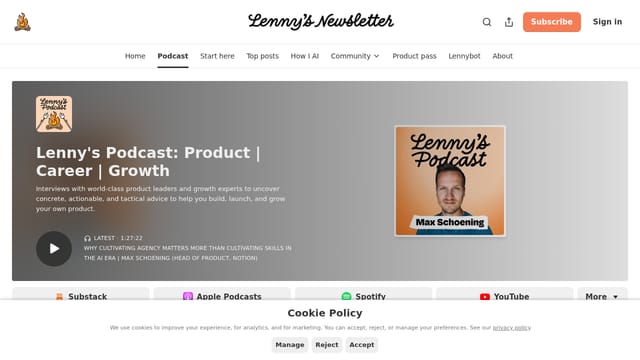
Working operators + AI researchers discussing real workflows (not toy demos). Lenny interviews people building production AI systems; Andrew Mayne's blog has specific prompt patterns from years inside OpenAI.
Communitys (1)

Working operators sharing prompts + workflows. Filter for high-upvote posts. Skip the 'AI will take over the world' threads; engage with the 'here's a prompt that solved a real problem' ones.
Tools (4)
Pay for at least ONE serious LLM subscription. Free tiers throttle context + rate limits in ways that hurt practice. Pick Claude for writing, ChatGPT for utility, Cursor for code. Stack if multi-discipline.
Midjourney
PaidBest image-generation tool in 2026 for creative work. Tier 1 ($10) is enough for casual; Pro ($60) for production volume. Stable Diffusion is free alternative but steeper learning curve.
Perplexity Pro
PaidWeb-grounded LLM with citations. Specifically for research tasks where you need current data + sources. Replaces 50%+ of Google searches for working operators.

Marketplace + free repos of working prompts for specific tasks. Don't pay for prompts in 2026 — most are reverse-engineerable. Use as inspiration; write your own.